
Collection Overview
We have prepared a Postman collection to ensure a smooth onboarding experience. It includes all currently available functionality, so you can rely on it as an up-to-date reference.
If you encounter any issues, please do not hesitate to contact us so we can assist you promptly.
How to Setup Collection?
You want to import the collection via Postman function:
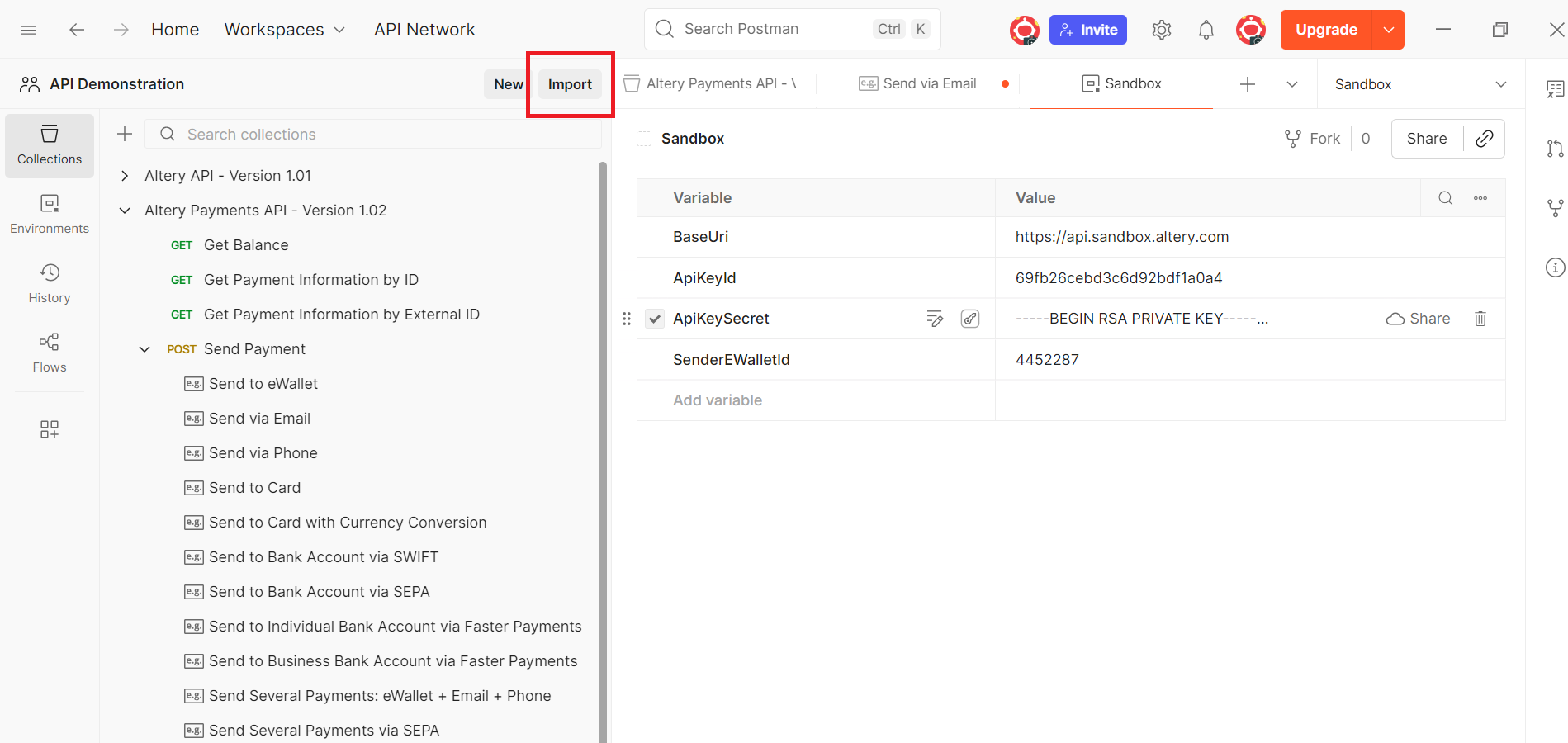
Collection Import via Postman
Select the collection file — Postman will import it automatically.
Once completed, you will see the collection “Altery Payments API – Version 1.02”, indicating that it has been successfully imported into your local environment.
To start using the collection, please configure the environment variables:
BaseUri: The default URI for all requests:- Sandbox https://api.sandbox.altery.com: integration testing and validation.
- Production https://api.altery.com: live payment processing.
ApiKeyId: Your individual API key acquired during onboarding.ApiKeySecret: Your private RSA key acquired during onboarding.SenderEWalletId: Your dedicated AlteryID.
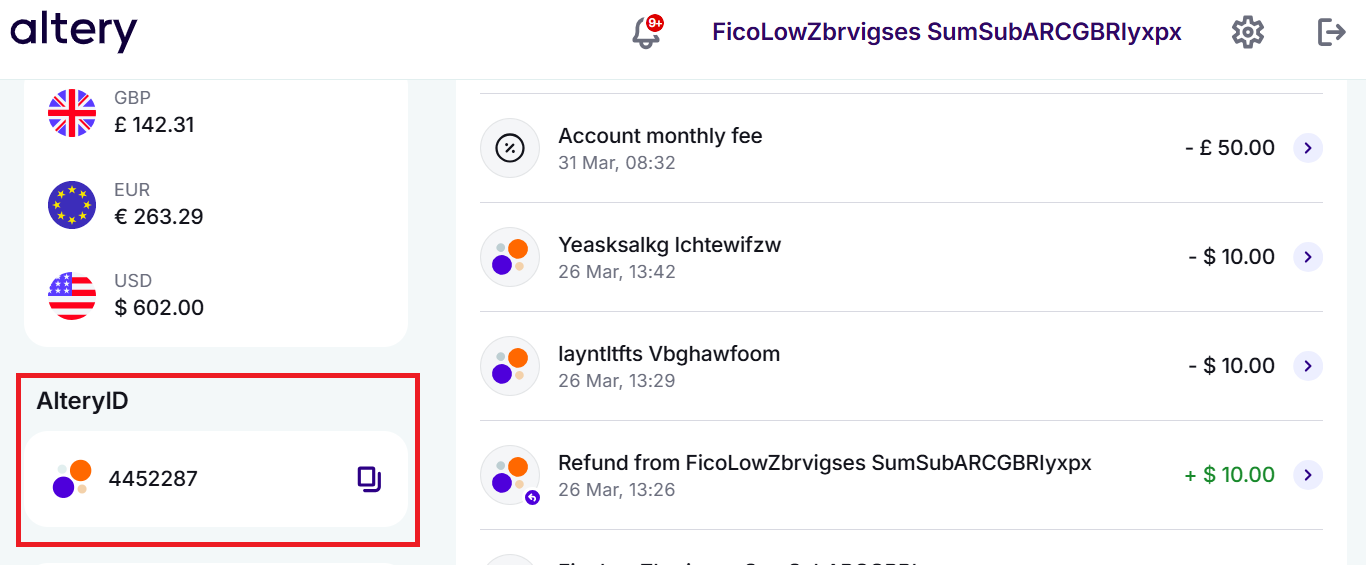
The Altery ID for Payments Processing
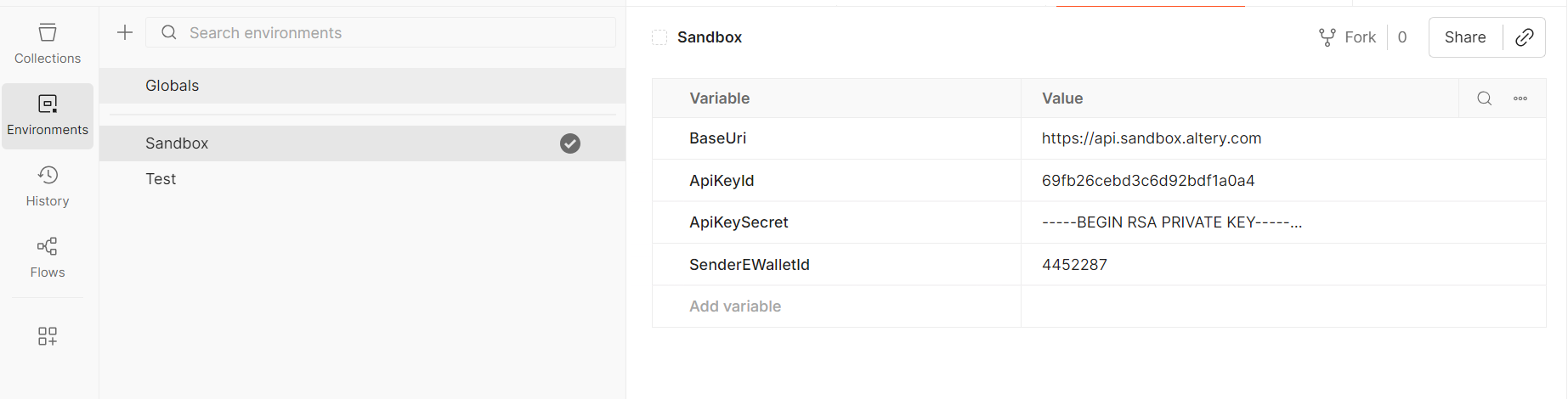
Environment Variables Setup
Simple Request
Execute Get balance as a simple request to make sure all environments variables are correctly configured and used in the Postman collection:
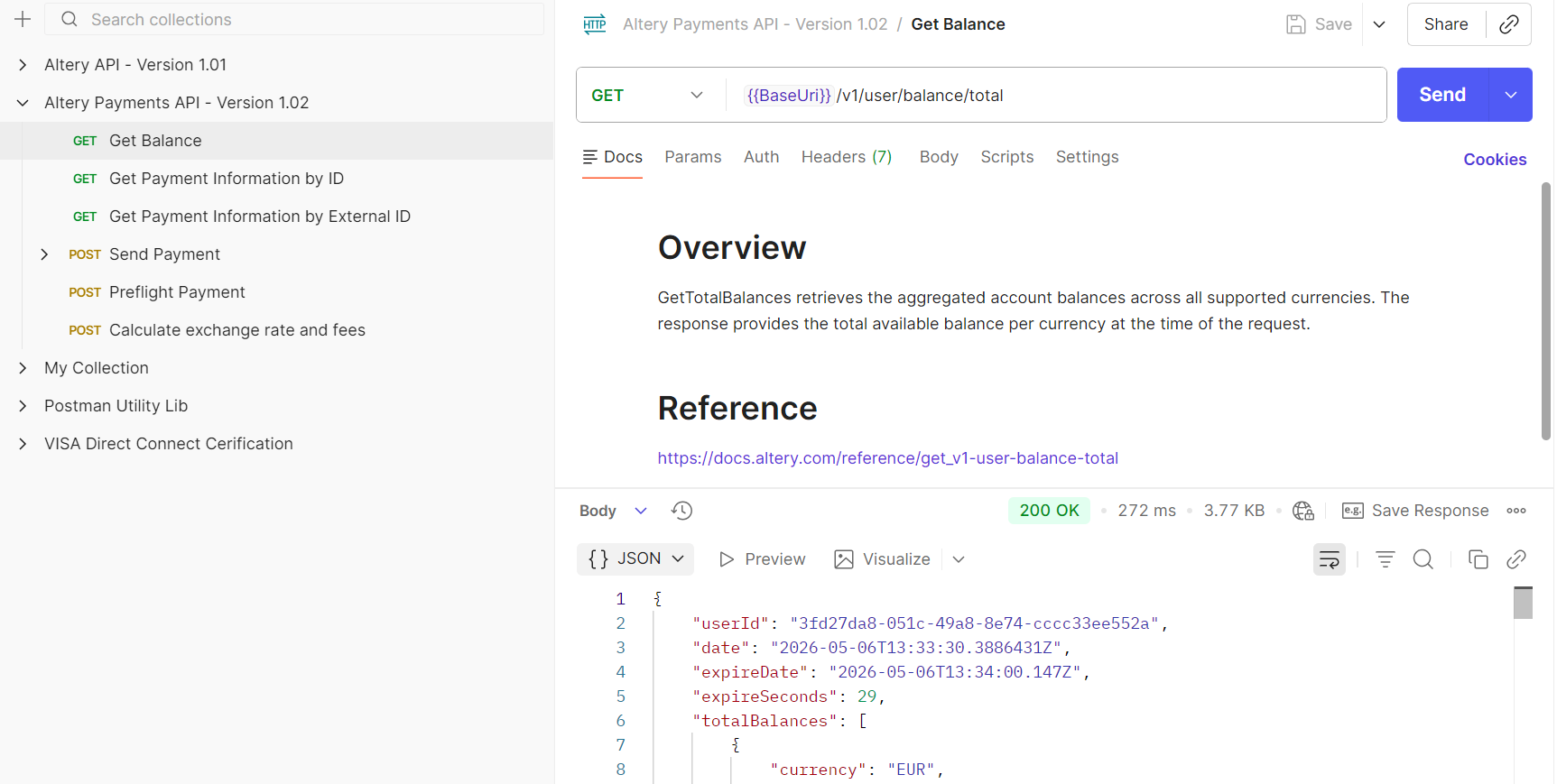
Successfull 'Get Balance' Request
Send a Payment
Execute one of the Send Payment examples. For your initial test, we recommend sending a payment to a card.
Ensure you receive a successful 200 response. If you receive a 422 response, please review the errorMsgs field and contact us for further investigation. If you encounter a 401 authorization error, verify that your environment variables in Postman are configured correctly.
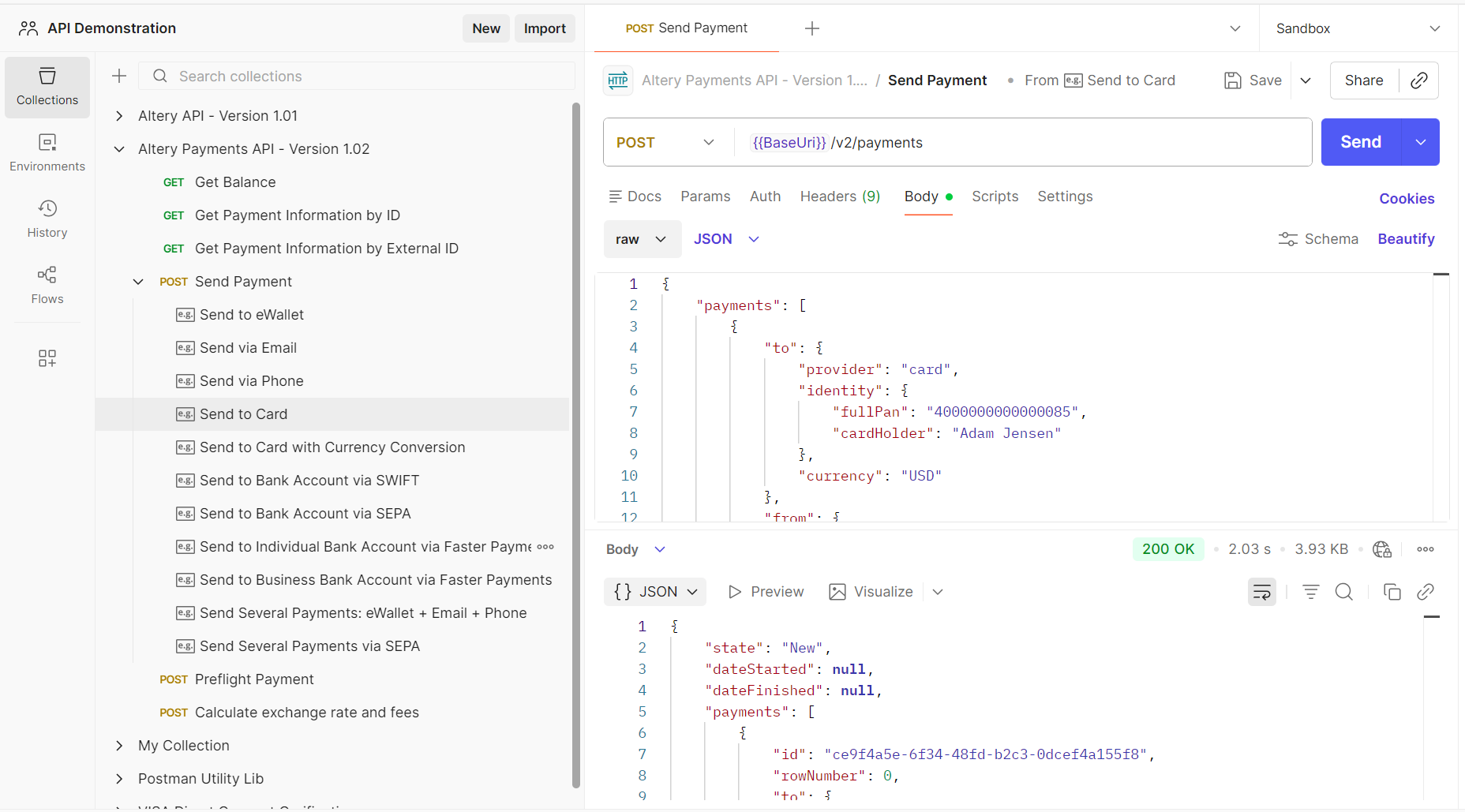
Successful 'Send Payment to Card' Request
[Extra] Collection Crypto Algorithm
The collection uses cryptographic algorithm for signature calculation. You can check all details in a tab Altery Payments API - Version 1.02 -> Scripts -> Pre-request:
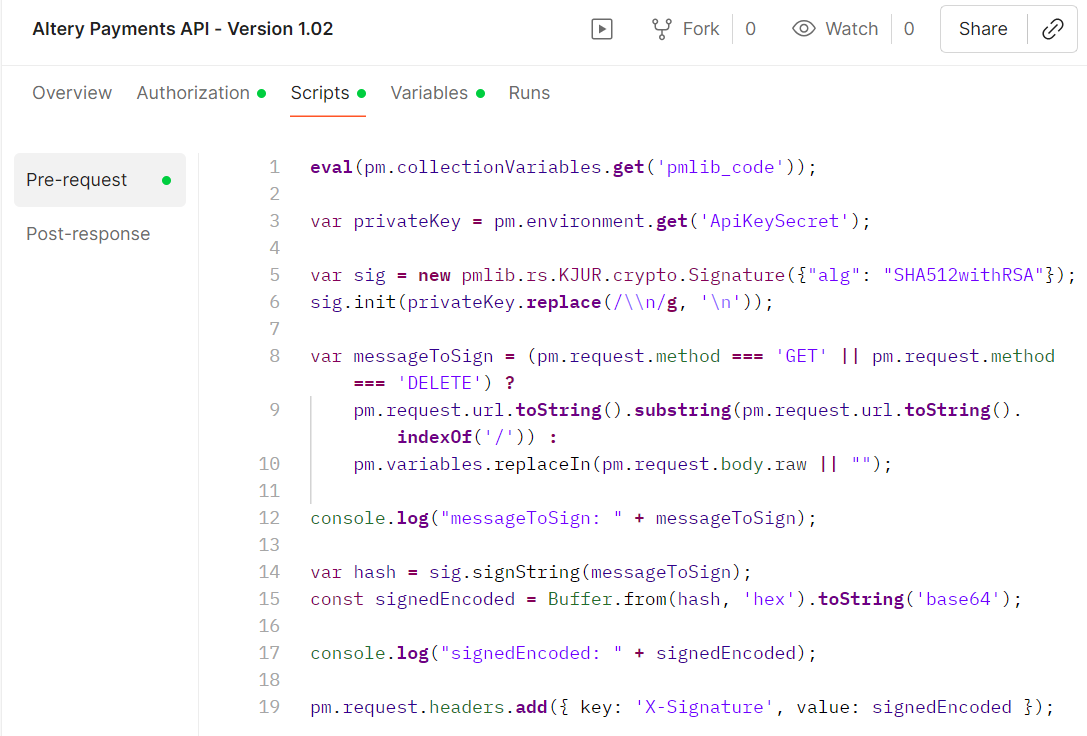
Signature Calcluation Algorithm