Preparation
1) Get API key
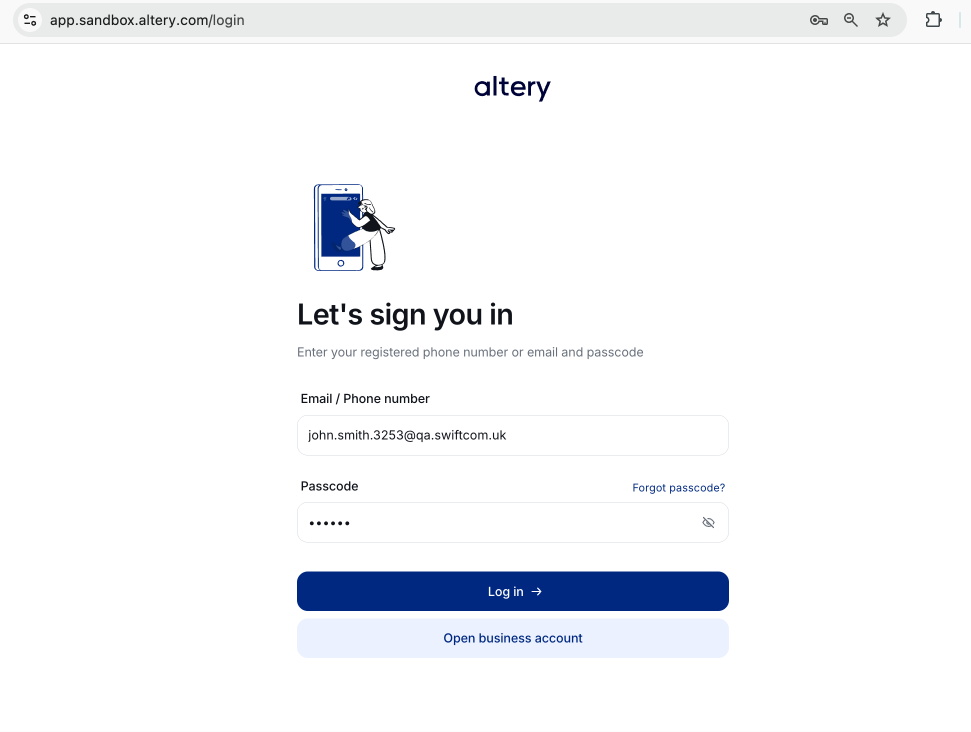
1.1) Log in to your account
Navigate to https://app.sandbox.altery.com
Use Email and Password provided by your integration manager.
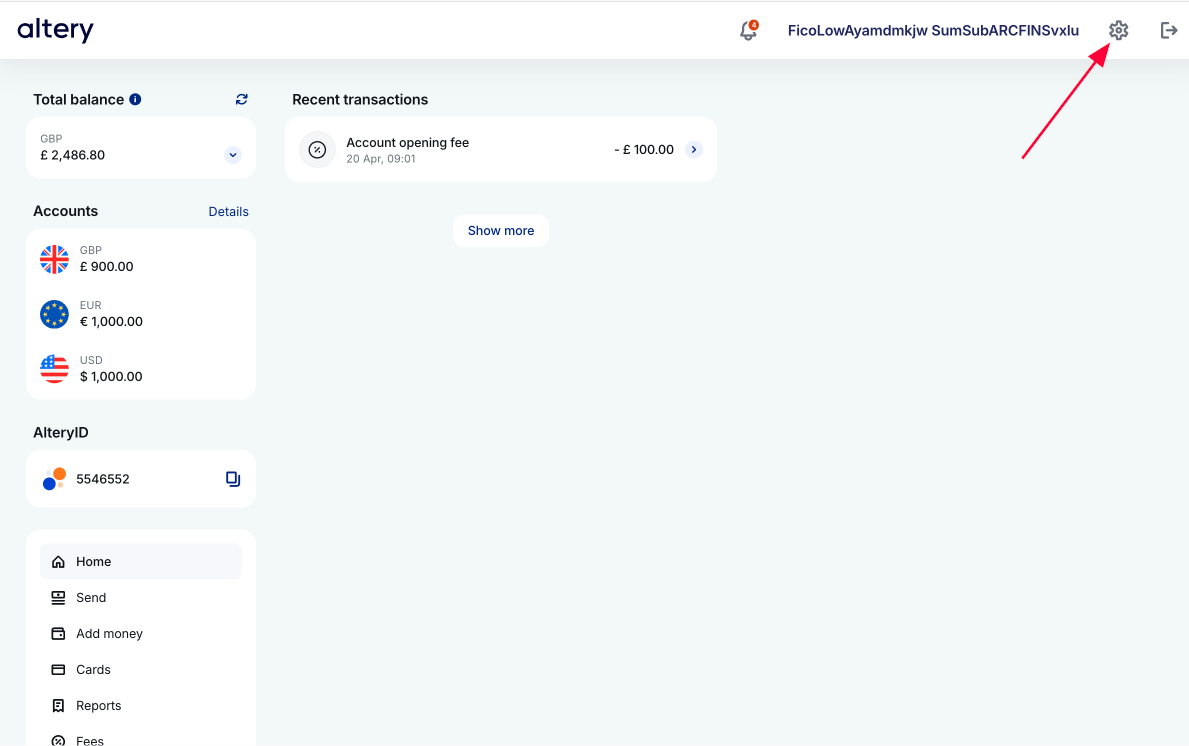
1.2) Add API key
Open Settings
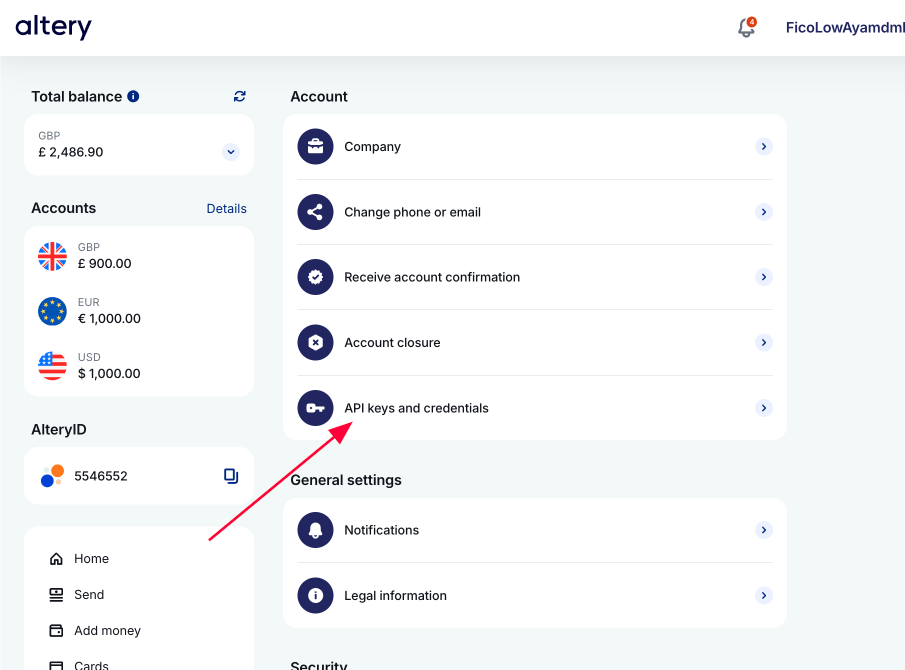
Open API keys and credentials
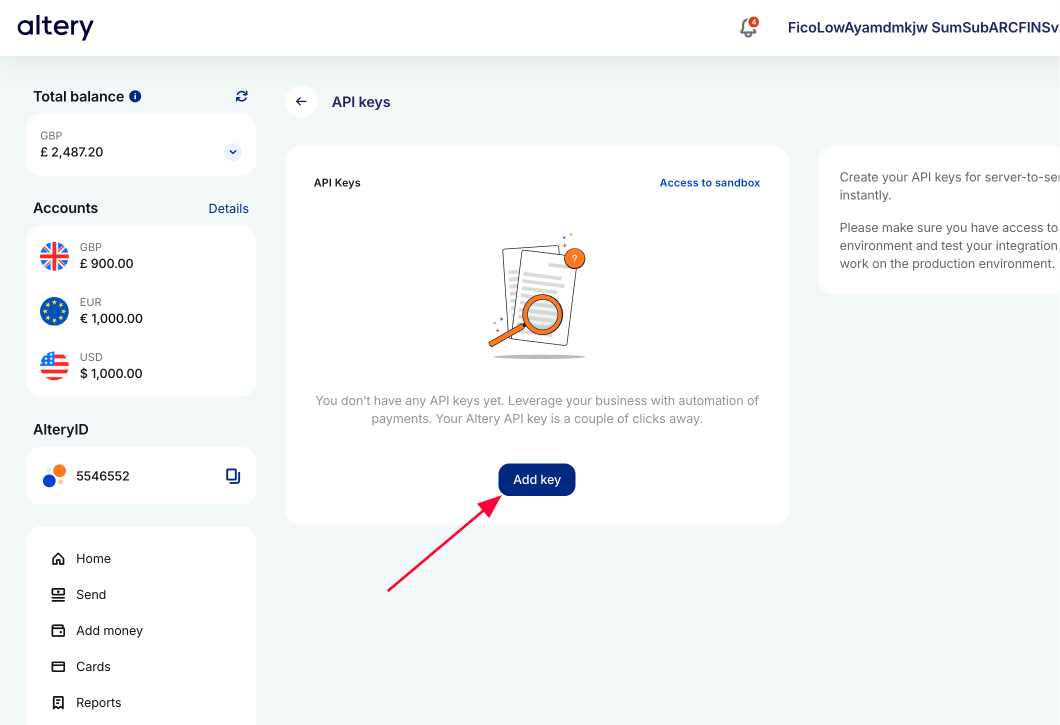
Press Add key
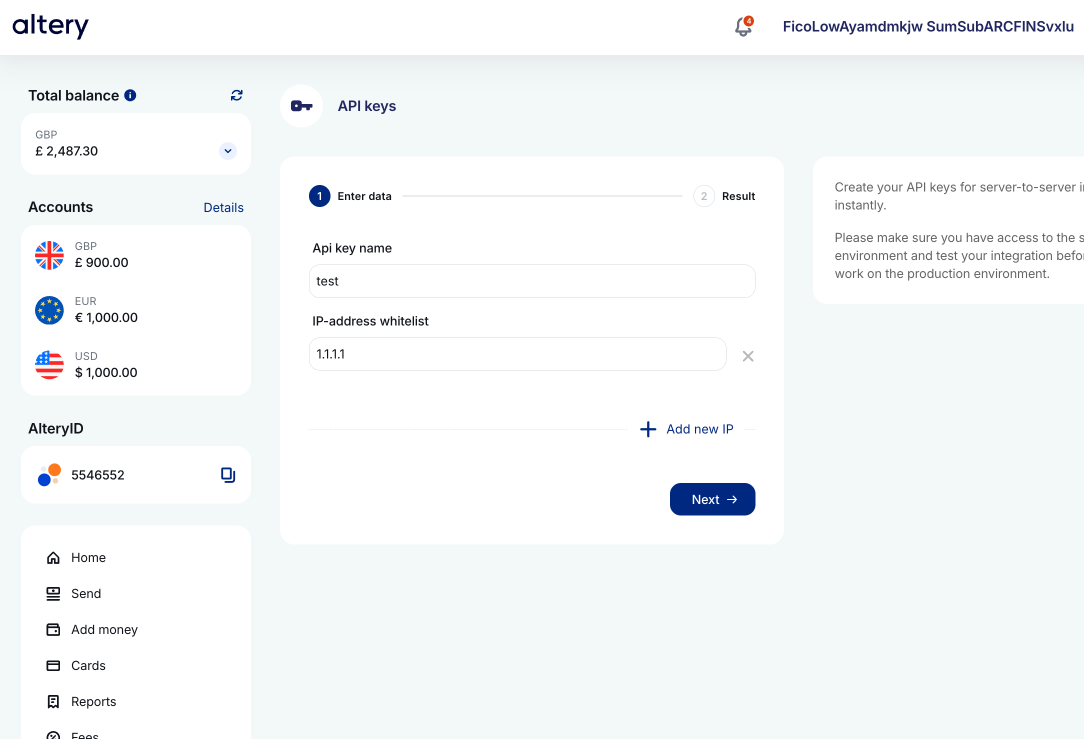
Set parameters:
- Api key name - choose any name
- ID-address whitelist - set IP addresses from which this API key will be used
Press Next
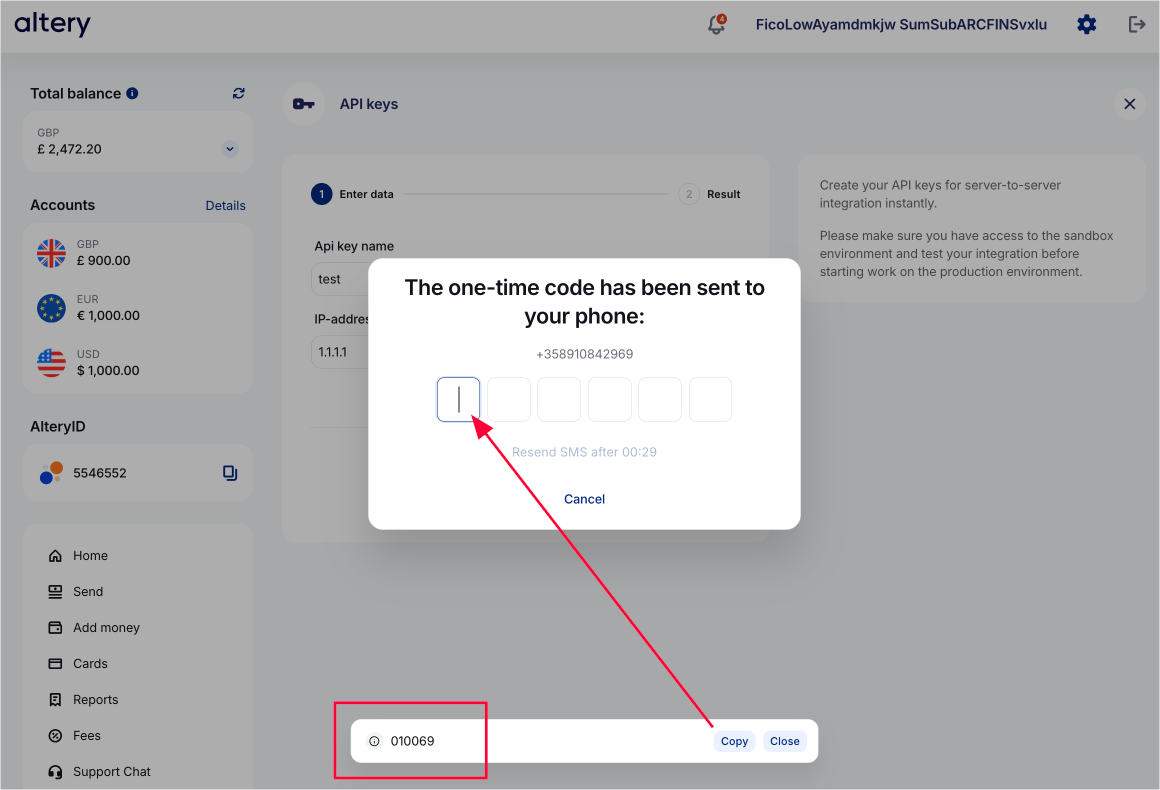
Enter one-time code to confirm operation.
Get it from the popup shown below (this popup is shown in Sandbox environment only).
Press Download key
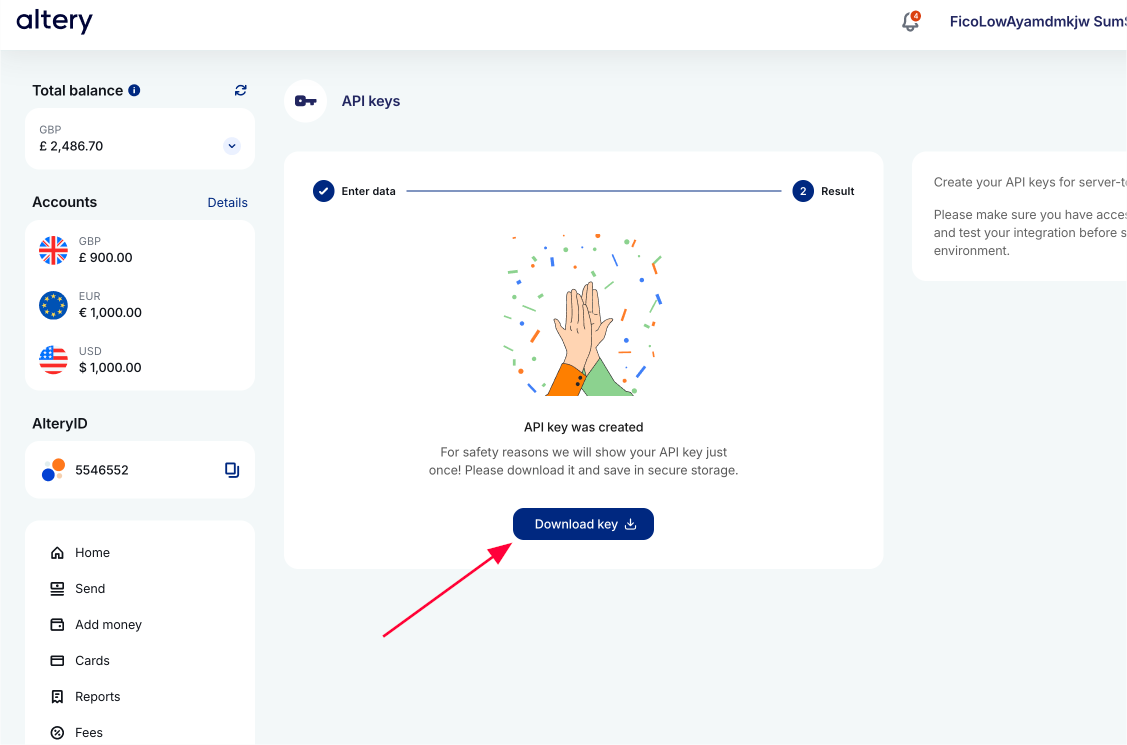
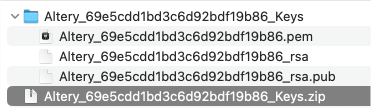
Unzip the downloaded archive:
- API private key ID - it is identifier in filenames
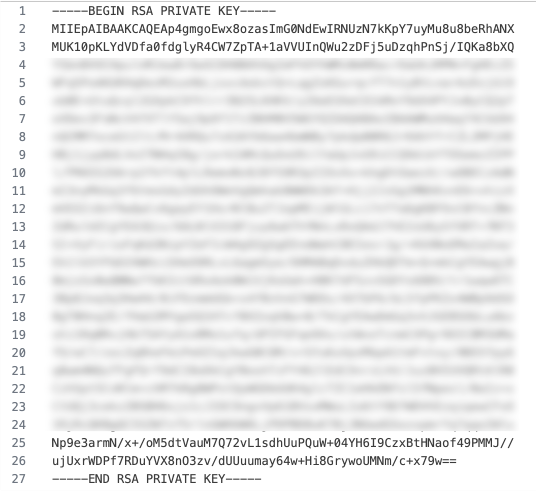
- API private key - its PEM format can be found in
*.pemfileIn below example:
69e5cdd1bd3c6d92bdf19b86- it is API private key IDAltery_69e5cdd1bd3c6d92bdf19b86.pem- it is API private key in PEM format
2) Import Postman collection
Download Postman collection here.
Import it into your Postman application.
3) Import environment profile
Download Postman Environment profile template here.
Import it into your Postman application.
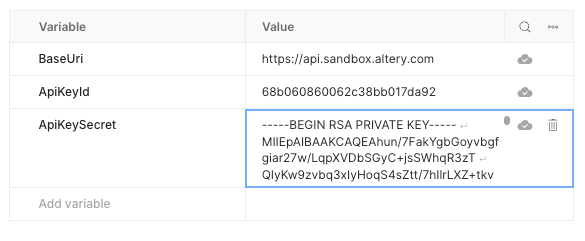
4) Update environment profile
Set parameters:
- ApiKeyId - your API private key ID
- ApiKeySecret - your API private key ID in PEM format
5) Set active environment profile
Choose Altery Sandbox to be currently selected one
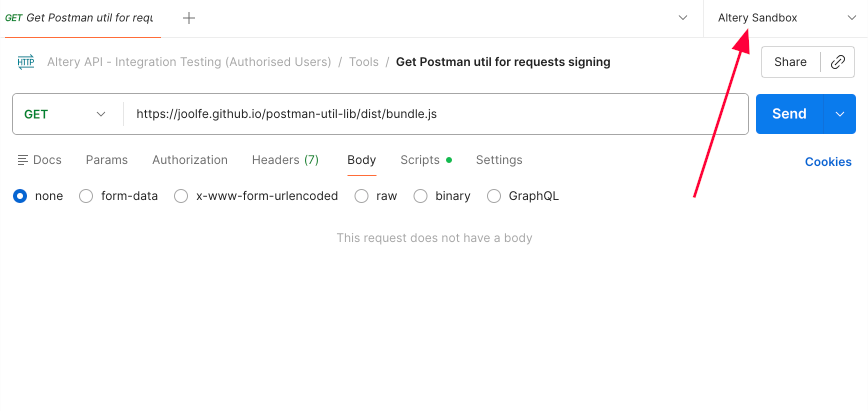
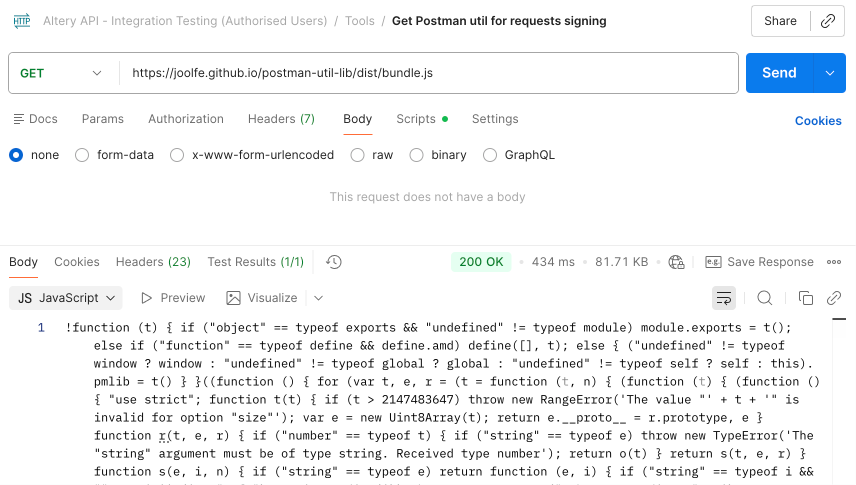
6) Get Postman util for requests signing
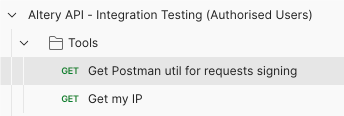
Run this method once before making any API requests - it loads a library used in Postman collection script to sign the requests with your API key
7) Get my IP
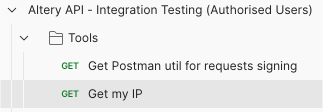
Use this method to check your IP address, if needed, e.g. to add it to your API key whitelist
Customers
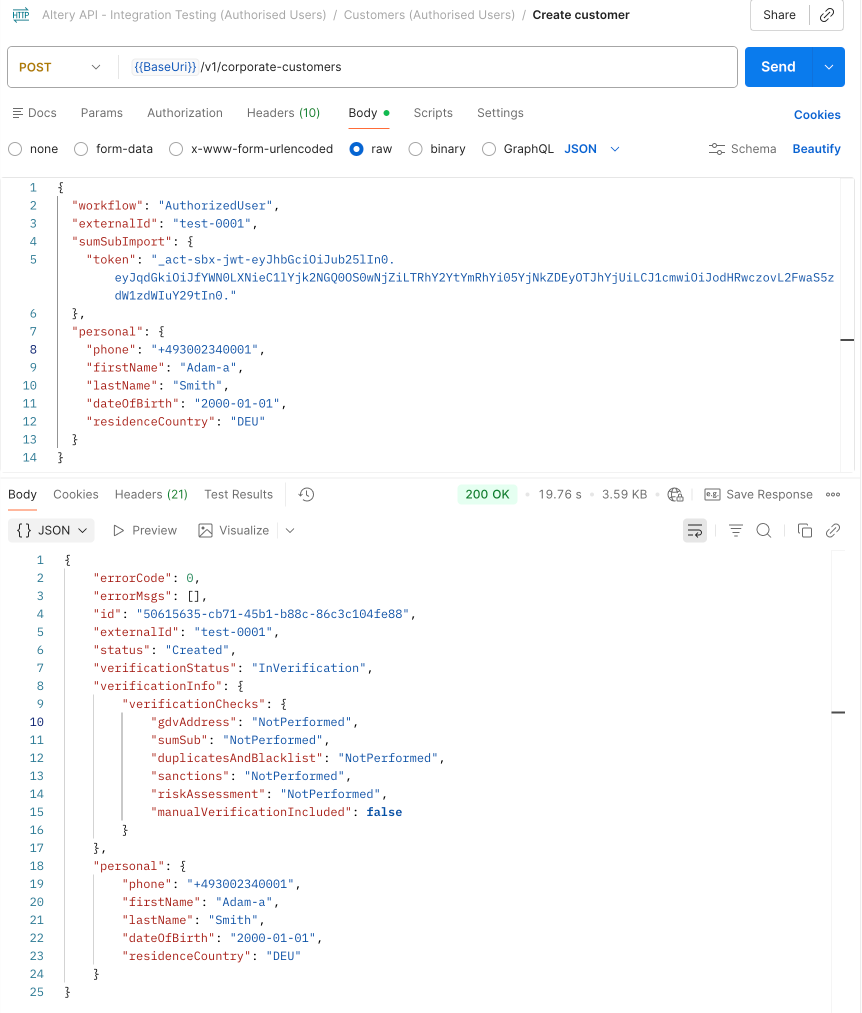
Create customer
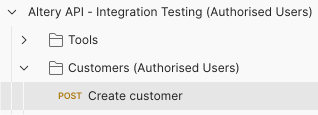
Request
- PoI, Selfie - docs in approved SumSub applicant - imported using SumSub share token (Reusable KYC)
- Phone Number, First Name, Last Name, Date of Birth, Residence Country - provided separately in request body
- Last Name - should be
Smith(for this scenario in Sandbox)- [ First Name + Last Name + Date of Birth] - should be unique across all created customers, otherwise verification will go for manual review
- United Kingdom is used as a country of residence in this example. Another country can also be specified in request (GBR should be replaced with a different ISO 3166-1 alpha-3 code)
Notes
InVerificationverification status is expected in the response- Once the verification is complete the verification status is changed to
Verified
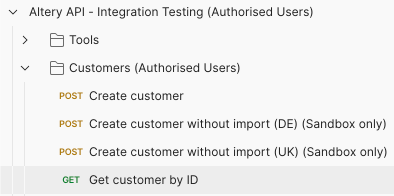
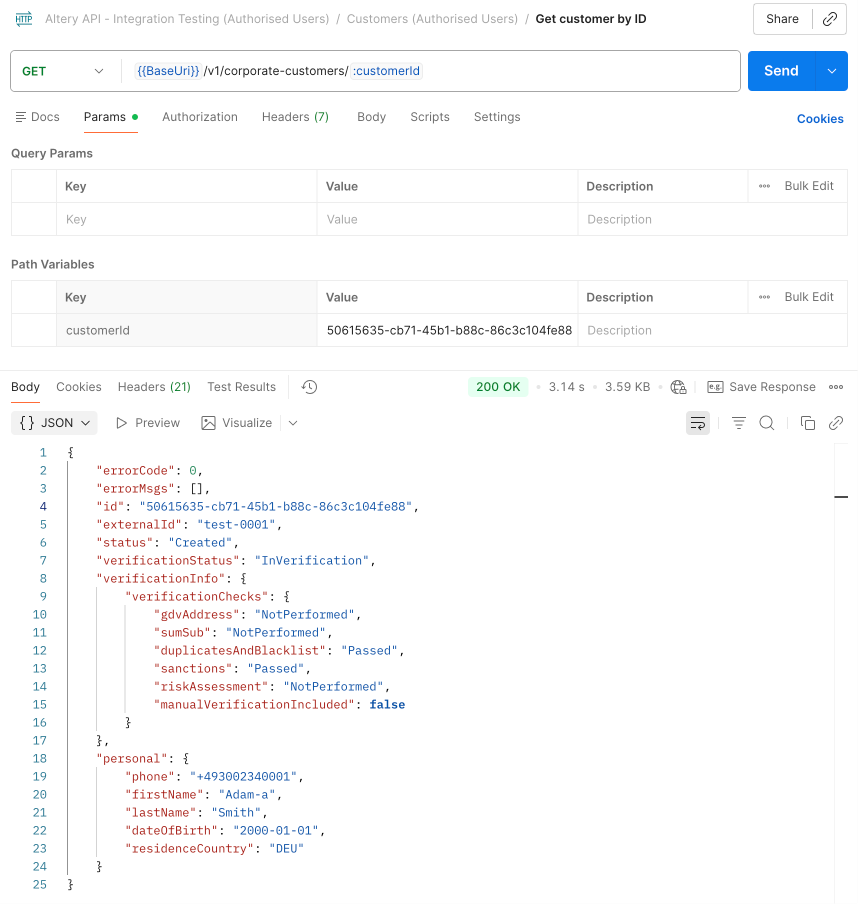
Get customer by ID
Example response when a customer is in Created / InVerification status
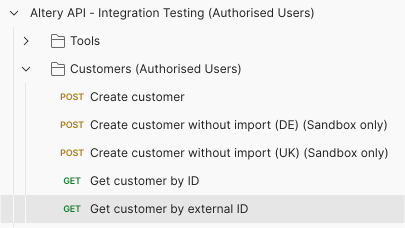
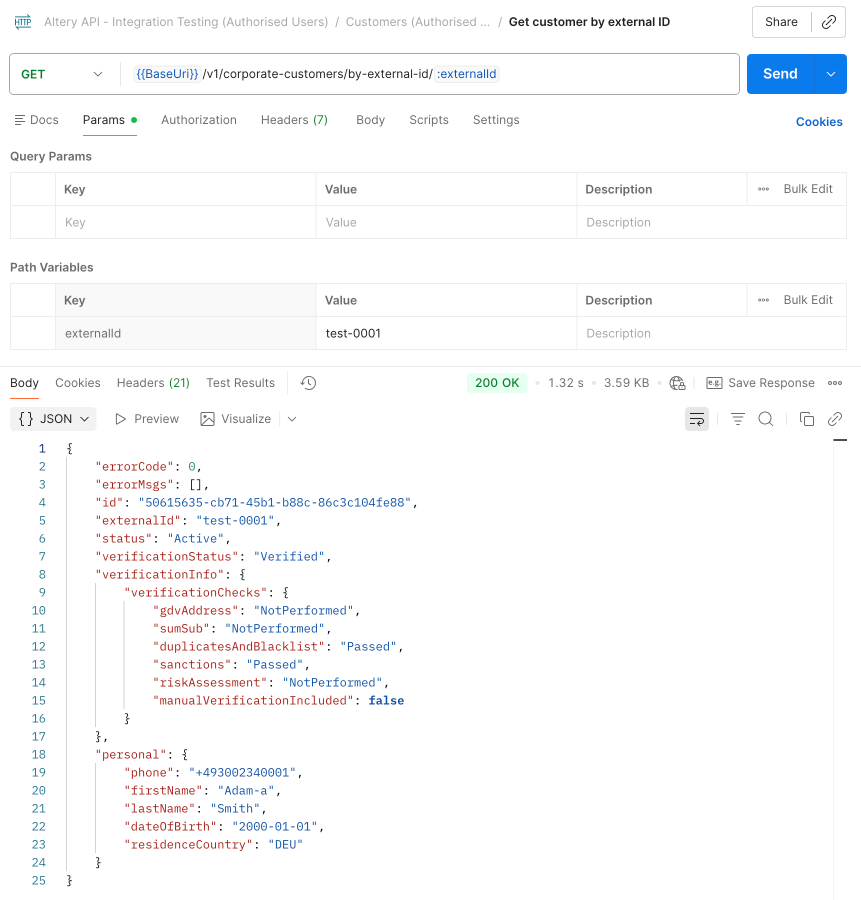
Get customer by external ID
Example response when a customer is in Active / Verified status
Cards
Issue new card
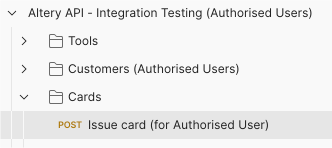
Request
- authenticationMethod - 3DS confirmation type, possible values:
Otp- user confirms with One-Time Password (OTP)Api- a challenge webhook is sent to you, user confirms on your side, you send confirmation to us
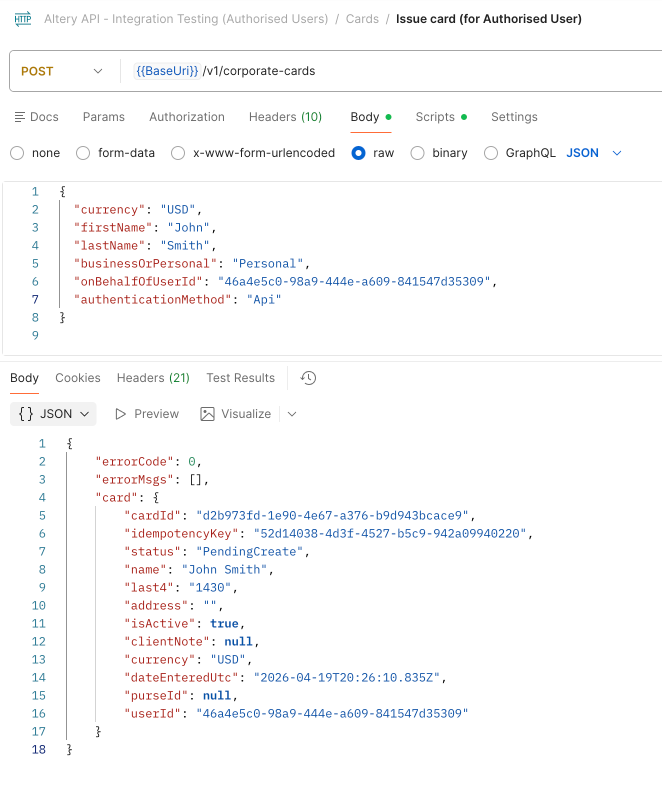
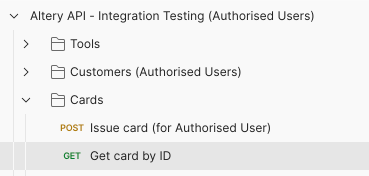
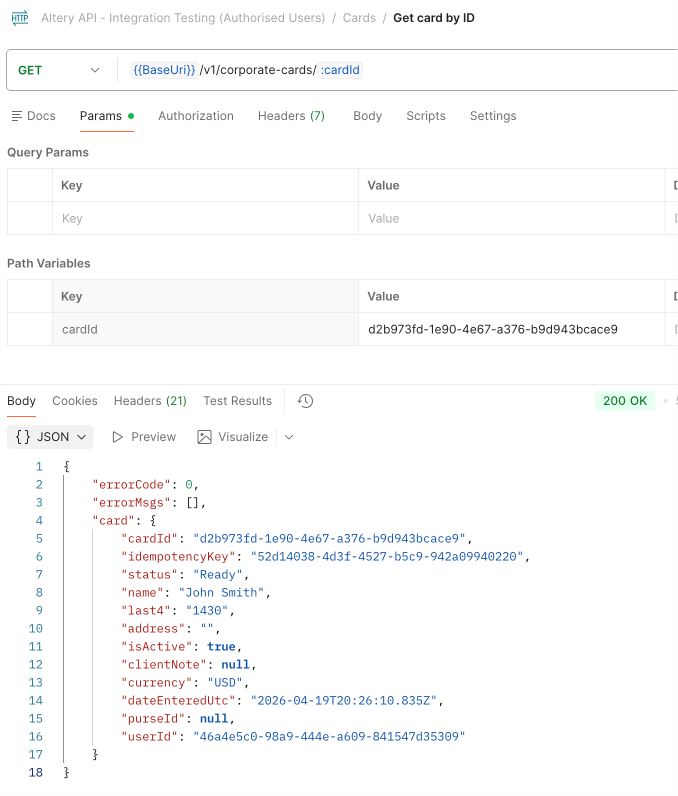
Get card by ID
Simulate authorization
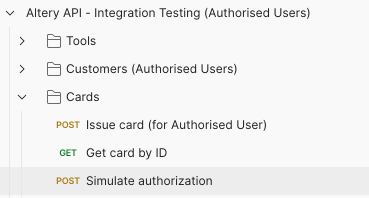
Request
- This operation allows to simulate an authorization request in Sandbox environment
- cardIdentity - card ID
Simulate settlement
Given you received CardTransactionApproved webhook on the authorization request:
{
    "userId": "46a4e5c0-98a9-444e-a609-841547d35309",
    "event": "CardTransactionApproved",
    "transaction": {
        "transactionId": "ffb80501-0013-5a33-8613-08deb4532b76",
        "cardId": "d2b973fd-1e90-4e67-a376-b9d943bcace9",
        "status": "Succeeded",
        "statusText": "Pending",
        "merchant": "starbucks",
        "amount": 21.71,
        "createdAt": "2026-05-17T20:30:46.85",
        "authorizationId": "ffb80501-0013-5a33-8613-08deb4532b76"
    }
}
Use authorizationId to simulate a settlement request:
Request
- This operation allows to simulate an authorization reversal request in Sandbox environment
- authorizationId - received in
CardTransactionApprovedwebhook- The rest fields - should be the same as is authrorization request
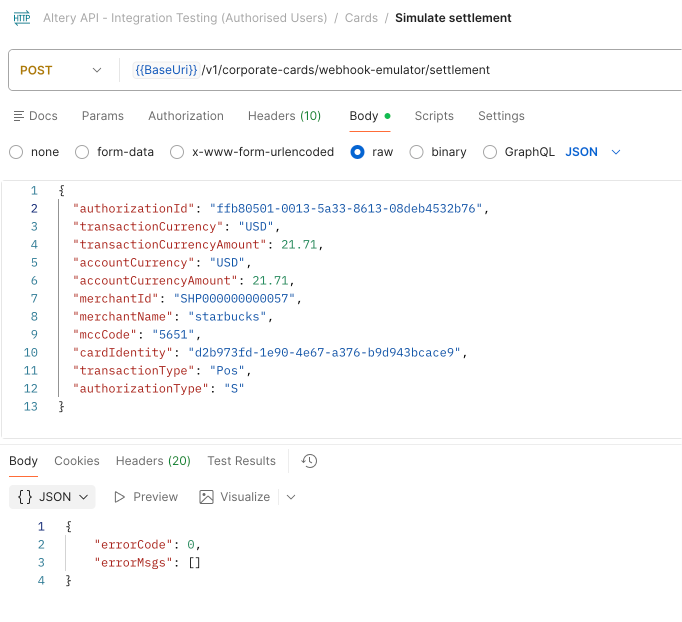
You will receive CardTransactionApproved webhook about settlement:
{
    "userId": "46a4e5c0-98a9-444e-a609-841547d35309",
    "event": "CardTransactionApproved",
    "transaction": {
        "transactionId": "ffb80501-0013-5a33-8613-08deb4532b76",
        "cardId": "d2b973fd-1e90-4e67-a376-b9d943bcace9",
        "status": "Succeeded",
        "statusText": "Completed",
        "merchant": "starbucks",
        "amount": 21.71,
        "createdAt": "2026-05-17T20:30:46.85",
        "authorizationId": "ffb80501-0013-5a33-8613-08deb4532b76"
    }
}
Simulate authorization reversal
Given you received CardTransactionApproved webhook on the authorization request:
{
    "userId": "46a4e5c0-98a9-444e-a609-841547d35309",
    "event": "CardTransactionApproved",
    "transaction": {
        "transactionId": "cc1e0401-0013-5a33-7bbd-08deb44f1c51",
        "cardId": "d2b973fd-1e90-4e67-a376-b9d943bcace9",
        "status": "Succeeded",
        "statusText": "Pending",
        "merchant": "starbucks",
        "amount": 21.71,
        "createdAt": "2026-05-17T20:01:40.843Z",
        "declineReason": null,
        "authorizationId": "cc1e0401-0013-5a33-7bbd-08deb44f1c51"
    }
}
Use authorizationId to simulate a reversal request:
Request
- This operation allows to simulate an authorization reversal request in Sandbox environment
- authorizationId - received in
CardTransactionApprovedwebhook- The rest fields - should be the same as is authrorization request
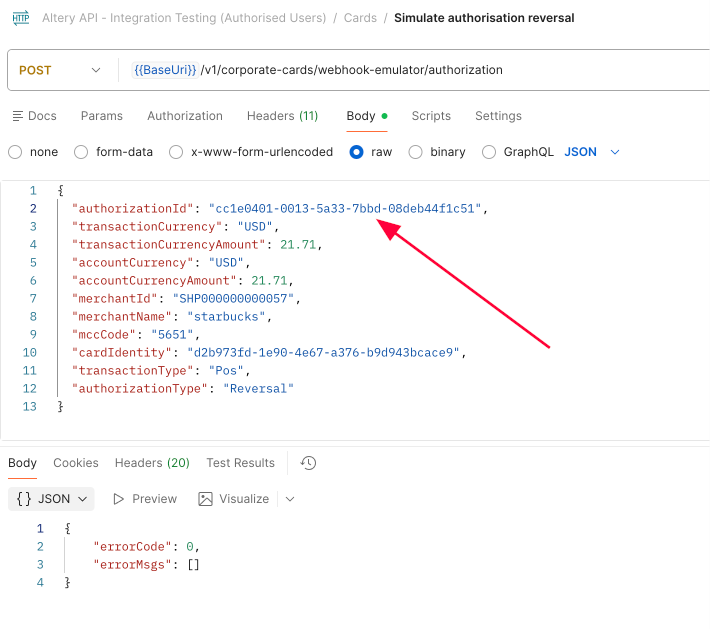
You will receive CardTransactionReversed webhook about reversal:
{
    "userId": "46a4e5c0-98a9-444e-a609-841547d35309",
    "event": "CardTransactionReversed",
    "transaction": {
        "transactionId": "cd1e0401-0013-5a33-d77a-08deb44f28f7",
        "cardId": "d2b973fd-1e90-4e67-a376-b9d943bcace9",
        "status": "Reversal",
        "statusText": "Completed",
        "merchant": "starbucks",
        "amount": 21.71,
        "createdAt": "2026-05-17T20:02:01.593Z",
        "declineReason": null,
        "authorizationId": "cc1e0401-0013-5a33-7bbd-08deb44f1c51"
    }
}
You will also receive CardTransactionApproved webhook - updated status for original authorization:
{
    "userId": "46a4e5c0-98a9-444e-a609-841547d35309",
    "event": "CardTransactionApproved",
    "transaction": {
        "transactionId": "cc1e0401-0013-5a33-7bbd-08deb44f1c51",
        "cardId": "d2b973fd-1e90-4e67-a376-b9d943bcace9",
        "status": "Succeeded",
        "statusText": "Rejected",
        "merchant": "starbucks",
        "amount": 21.71,
        "createdAt": "2026-05-17T20:01:40.843Z",
        "declineReason": null,
        "authorizationId": "cc1e0401-0013-5a33-7bbd-08deb44f1c51"
    }
}
Simulate refund authorization and settlement
Simulate refund authorization
Request
- This operation allows to simulate an refund authorization request in Sandbox environment
- Set cardIdentity - card ID
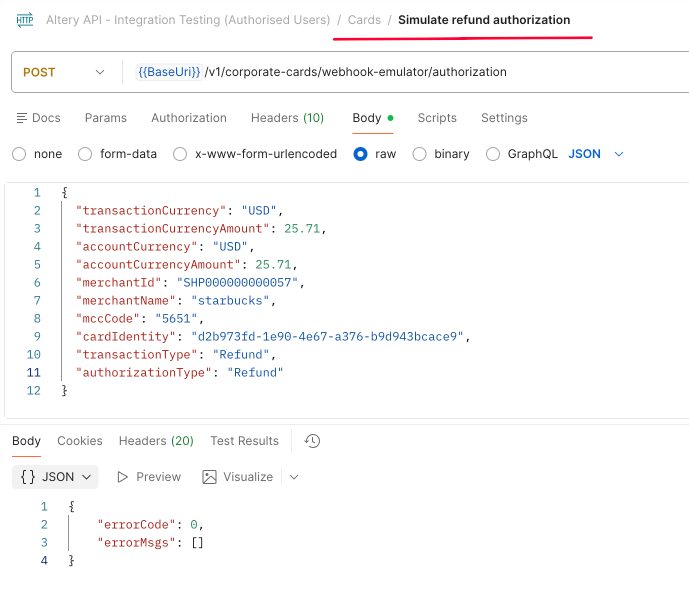
You will receive
CardTransactionRefundedwebhook about refund withPendingstatus
- Use
authorizationIdto simulate refund settlement
{
  "userId" : "46a4e5c0-98a9-444e-a609-841547d35309",
  "event" : "CardTransactionRefunded",
  "transaction" : {
    "transactionId" : "84520701-00c0-7a15-83e2-08deb751f9a5",
    "cardId" : "d2b973fd-1e90-4e67-a376-b9d943bcace9",
    "status" : "Refunded",
    "statusText" : "Pending",
    "merchant" : "starbucks",
    "amount" : 25.71,
    "createdAt" : "2026-05-21T15:59:45.147Z",
    "declineReason" : null,
    "authorizationId" : "84520701-00c0-7a15-83e2-08deb751f9a5"
  }
}
Simulate refund settlement
Request
- This operation allows to simulate refund settlement in Sandbox environment
- Set authorizationId - received in
CardTransactionRefundedwebhook- The rest fields - should be the same as in refund authrorization request
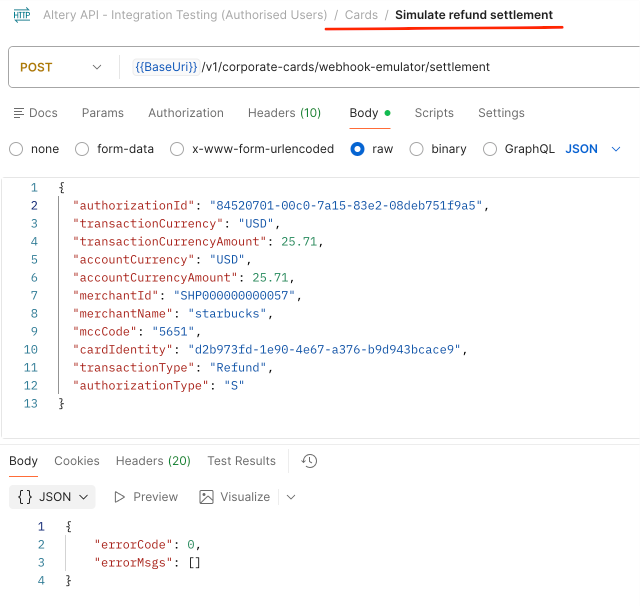
You will receive
CardTransactionRefundedwebhook about refund withCompletedstatus
{
  "userId" : "46a4e5c0-98a9-444e-a609-841547d35309",
  "event" : "CardTransactionRefunded",
  "transaction" : {
    "transactionId" : "84520701-00c0-7a15-83e2-08deb751f9a5",
    "cardId" : "d2b973fd-1e90-4e67-a376-b9d943bcace9",
    "status" : "Refunded",
    "statusText" : "Completed",
    "merchant" : "starbucks",
    "amount" : 25.71,
    "createdAt" : "2026-05-21T15:59:45.147Z",
    "declineReason" : null,
    "authorizationId" : "84520701-00c0-7a15-83e2-08deb751f9a5"
  }
}
Simulate 3DS authentication with confirmation via API
Simulate 3DS authentication
Request
- This operation allows to simulate an 3DS authentication request with confirmation via API (
Apiauthentication method) in Sandbox environment- Set cardIdentity - card ID
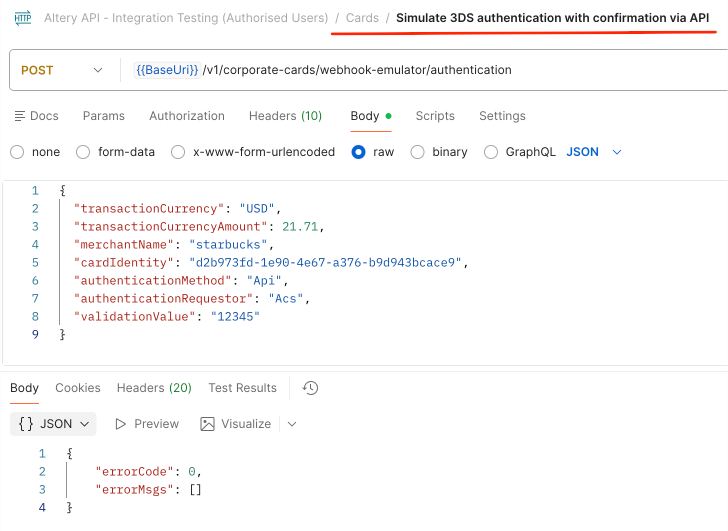
You will receive
Card3DSChallengeForwardedwebhook
- Use
threeDsSessionIdto confirm 3DS authentication
{
  "userId" : "46a4e5c0-98a9-444e-a609-841547d35309",
  "event" : "Card3DSChallengeForwarded",
  "transaction" : {
      "threeDsSessionId" : "82520701-00c0-7a15-e389-08deb74cbc45",
      "cardId" : "d2b973fd-1e90-4e67-a376-b9d943bcace9",
      "merchant" : "starbucks",
      "amount" : 21.71,
      "transactionCurrencyCode" : "USD",
      "createdAt" : "2026-05-21T15:22:13Z"
  },
  "card3ds" : {
    "confirmationCode" : "12345",
    "authenticationMethod" : "Api"
  }
}
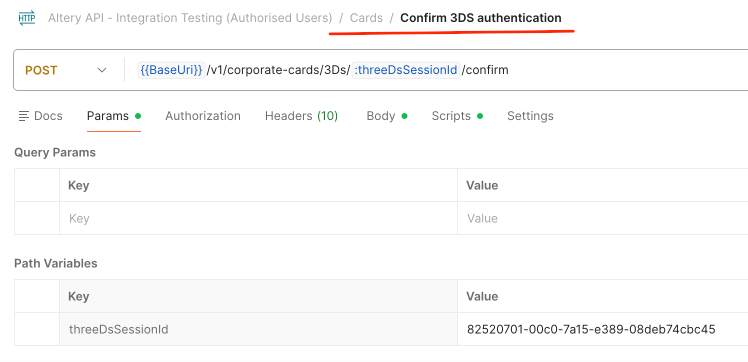
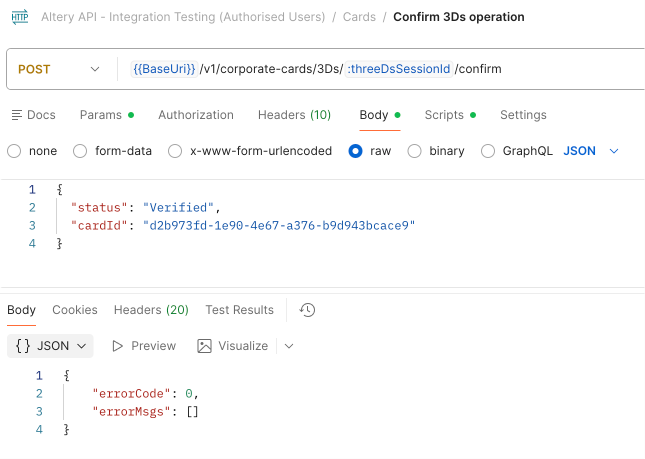
Confirm 3DS authentication
Request
- Set threeDsSessionId in path variable on the Params tab
- Set status and cardId on the Body tab
Freeze/unfreeze card
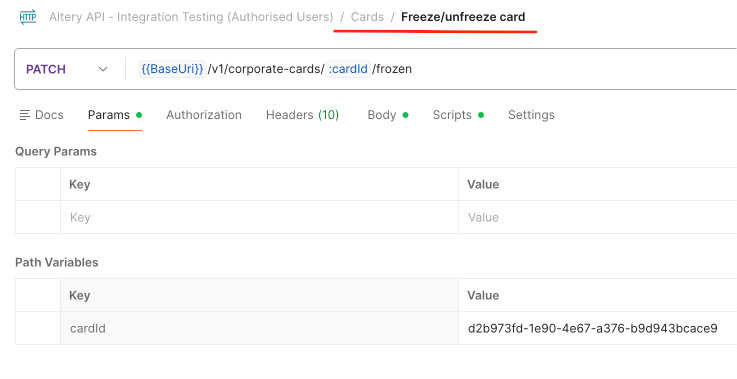
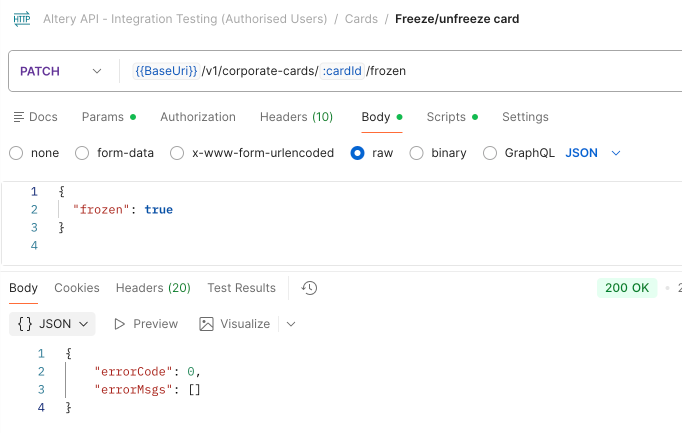
Request
- Set cardId on the Params tab
- Set frozen value on the Body tab
true- freeze card - card status is changed toFrozenfalse- unfreeze card - card status is changed back toReady
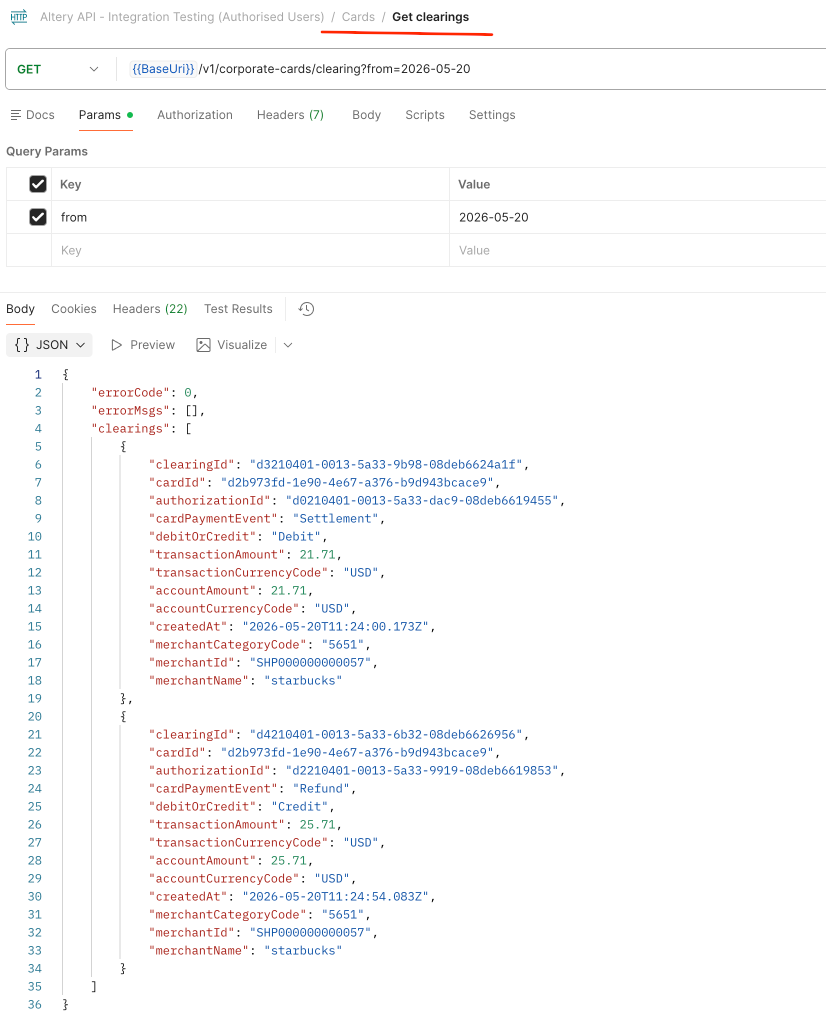
Get clearings